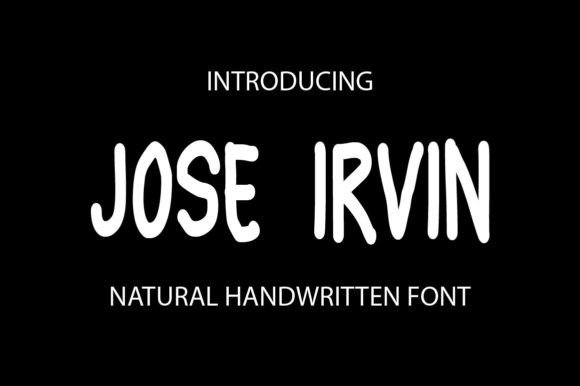
Jose Irvin: A Natural Handwriting Font for Modern Web Design
Jose Irvin is a script handwritten font designed to bring organic warmth and personality to digital interfaces. As a web designer, I look for fonts that balance visual charm with functional performance—Jose Irvin delivers both. This font is ideal for digital creators who want to inject authenticity into their websites, landing pages, and online stores without sacrificing readability or brand clarity.
Jose Irvin for Hero Sections and Landing Page Headlines
Jose Irvin works exceptionally well in hero sections and landing page headlines. Its flowing, natural handwriting style adds a human touch that contrasts beautifully with clean, minimalist layouts. When used for large headers, Jose Irvin commands attention while maintaining legibility. Pair it with a simple sans serif like Open Sans or Lato for body text to create a clear visual hierarchy that guides users through your message.
- Use at 48px–72px sizes for desktop headers
- Optimize line height for spacing between lines
- Apply subtle letter spacing for improved readability
Handwritten Font for Branding and Logo Design
In the world of digital branding, consistency is key. Jose Irvin is a script handwritten font that brings a unique personality to logo design, brand kits, and social media graphics. Whether you're launching a coaching website, a creative portfolio, or a boutique online store, this font helps establish a warm, approachable tone that resonates with audiences.
When designing logos, use Jose Irvin in combination with a strong sans serif or serif typeface to create contrast and balance. It’s particularly effective for brand names, taglines, and signature-style accents that need to feel personal yet professional.
Jose Irvin for Call-to-Action Buttons and Microcopy
While not ideal for long paragraphs, Jose Irvin shines in short-form, high-impact areas like call-to-action buttons and microcopy sections. Its natural handwriting style makes phrases like “Get Started,” “Download Now,” or “Join the Community” feel more personable and inviting.
On mobile screens, ensure button text remains legible by using appropriate font weights and contrasting background colors. For best results, limit its use to short phrases and avoid overusing it in navigation bars or footer links.
Using Jose Irvin on Dark and Light Backgrounds
This script handwritten font performs well on both light and dark backgrounds, making it versatile for modern web design themes. On white or light backgrounds, it appears crisp and elegant. On dark backgrounds, it maintains contrast when paired with lighter font colors like off-white or soft beige.
For image overlays, consider using a semi-transparent background behind the text to ensure readability. This technique works well for hero banners, product landing pages, and digital ads where Jose Irvin is used as a display font.
Jose Irvin for E-commerce and Online Store Banners
If you're designing an online store, product banners are a great place to use Jose Irvin. As a premium font, it adds a touch of sophistication to product titles, promotional messages, and limited-time offers. When used in Shopify or WooCommerce templates, it enhances the visual appeal of banners without overwhelming the layout.
For best results, use it in headings or short descriptions rather than in long product descriptions. This ensures that the font’s decorative qualities enhance the design without compromising readability.
Font Pairing Tips with Jose Irvin
Font pairing is crucial in web design to maintain visual balance and readability. Since Jose Irvin is a script font, it pairs best with neutral sans serif or serif fonts. For example:
- Jose Irvin + Roboto (for clean, modern layouts)
- Jose Irvin + Merriweather (for editorial or blog headers)
- Jose Irvin + Montserrat (for bold, contemporary branding)
These combinations ensure that the handwritten style of Jose Irvin doesn’t compete with body text while still standing out as a visual highlight.
Licensing and Webfont Availability for Digital Projects
When selecting a commercial font for web use, licensing is always a top consideration. Ensure that Jose Irvin includes a webfont license if you plan to use it on live websites, client projects, or SaaS platforms. Most modern font providers offer webfont formats such as WOFF and WOFF2 for optimal performance and compatibility.
Additionally, check whether the font package includes alternates, ligatures, and multiple weights. These features can enhance typographic flexibility, especially for designers who want to create custom lettering or stylized headers.
Jose Irvin for Blog Headers and Social Media Graphics
Blog headers and social media graphics benefit from the expressive nature of Jose Irvin. As a display font, it adds personality to blog titles, featured image overlays, and Instagram story templates. Content creators and marketers can use it to craft visually engaging thumbnails, quote graphics, and branded templates that stand out in crowded feeds.
For blog headers, pair it with a readable serif or sans serif font for subheadings and body content. This creates a layered, magazine-style layout that improves scanning behavior and user engagement.
Optimizing Jose Irvin for Mobile Responsiveness
Responsive design is essential for modern web experiences. When using Jose Irvin on mobile devices, consider adjusting font sizes, letter spacing, and line height to maintain readability. Avoid using it in small text areas or dense navigation menus.
For mobile buttons and headlines, test the font at different breakpoints to ensure it remains legible and retains its character across screen sizes. Using CSS font-display settings like “swap” or “fallback” can also help maintain performance while loading the font.